Google Merchant Center Product Feed


Google Merchant Center Product Feed: A Complete Guide for eCommerce Stores
📅 January 1, 2026
A Google Merchant Center product feed is the foundation of successful Google Shopping Ads and free product listings. If your feed is incorrect, incomplete, or non-compliant, your products can be disapproved, your account can be suspended, and your ads will not run.
In this guide, you’ll learn what a product feed is, how it works, common errors, and how to optimize it for better approvals and higher sales in Google Merchant Center.
What Is a Google Merchant Center Product Feed?
A product feed is a structured file that contains detailed information about your products, such as:
- Product title
- Description
- Price
- Availability
- Brand & GTIN
- Shipping & tax
- Product images
- Landing page URL
- Product Proper Attributes
- Age Group, Gender, Size & Color
Google uses this data to display your products across Google Shopping, Shopping Ads, and Performance Max campaigns.
If your feed data does not match your website or Google’s policies, items may be disapproved.
Why Product Feeds Are So Important
Your product feed directly affects:
- Product approval status
- Ad visibility & impressions
- Click-through rate (CTR)
- Conversion rate
- Account compliance
A well-optimized feed helps Google clearly understand your products and match them with high-intent buyer searches.
Types of Google Merchant Center Product Feeds
1. Manual Product Feed
You upload a spreadsheet (Google Sheets, CSV, or Excel) and manage products manually.
Best for small catalogs or testing.
2. Automated Feed (Content API)
Automatically syncs products from your store (Shopify, WooCommerce, etc.).
Best for medium to large stores.
3. App-Based Feeds
Feeds generated using apps like:
- Google & YouTube App
- Simprosys
- Other feed management tools
These are popular for Shopify stores and allow real-time updates.
Required Product Feed Attributes
Some attributes are mandatory for product approval:
— id
— title
— description
— link
— image_link
— price
— availability
— brand or GTIN
Missing or incorrect values can lead to item disapproval or policy violations.
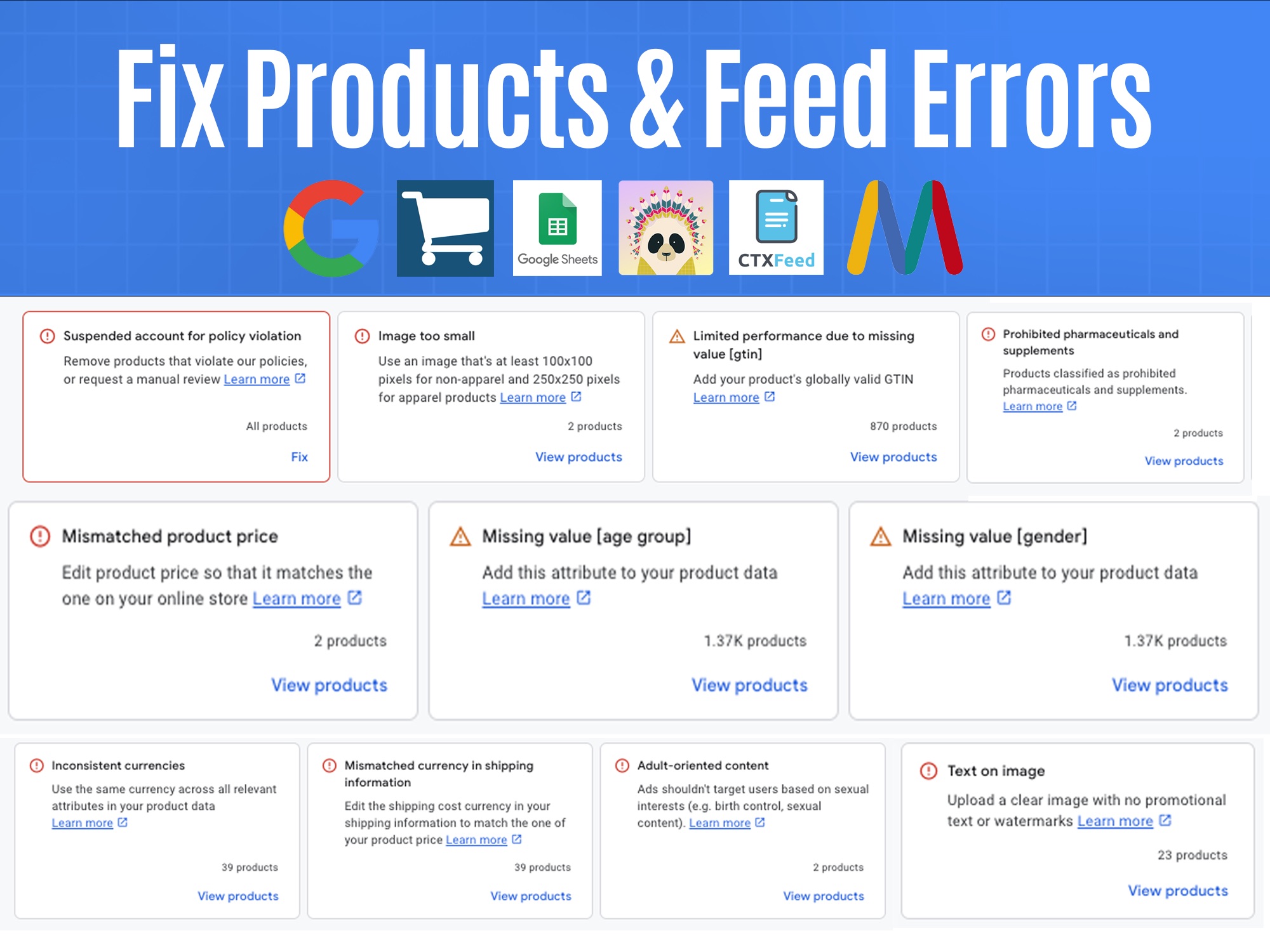
Common Google Merchant Center Feed Errors
Here are the most frequent product feed issues:
❌ Price mismatch between feed and website
❌ Incorrect availability status
❌ Missing GTIN or incorrect product identifiers
❌ Low-quality or promotional images
❌ Shipping or tax mismatch
❌ Policy violations (misrepresentation, misleading claims)
Fixing these errors quickly is essential to keep your account healthy.
How to Optimize Your Product Feed for Better Results
Optimize Product Titles
+ Include brand, product type, size, and key attributes
+ Avoid keyword stuffing
+ Match how users actually search
Improve Product Descriptions
+ Write clear, factual descriptions
+ Avoid promotional or exaggerated claims
+ Match website content exactly
Use High-Quality Images
+ Clean background
+ No watermarks or text overlays
+ Correct image size and format
Fix GTIN & Identifiers
+ Use correct GTIN whenever available
+ Set identifier_exists correctly when GTIN is not applicable
Align Website & Feed Data
Your website must match your feed exactly in:
+ Price
+ Availability
+ Shipping
+ Tax
Mismatch issues are a common cause of account suspension.
Product Feed & Policy Compliance
Google strictly enforces its Shopping policies. A poorly managed feed can trigger:
❗ Misrepresentation issues
❗ Item disapprovals
❗ Account suspension
Keeping your feed accurate and policy-compliant is critical for long-term success.
A properly structured and optimized Google Merchant Center product feed is not optional. It is the backbone of profitable Shopping Ads and free listings.
If your products are disapproved, your feed has errors, or your Merchant Center account is at risk, fixing the product feed should be your first priority.
If you need help creating, optimizing, or fixing your Google Merchant Center product feed, feel free to reach out. A clean feed means better visibility, higher conversions, and sustainable growth.
#GoogleMerchantCenter #ProductFeed #GoogleShopping #ShoppingAds #MerchantCenterErrors #FeedOptimization #eCommerce #Shopify #GoogleAds #PerformanceMax #PolicyCompliance